

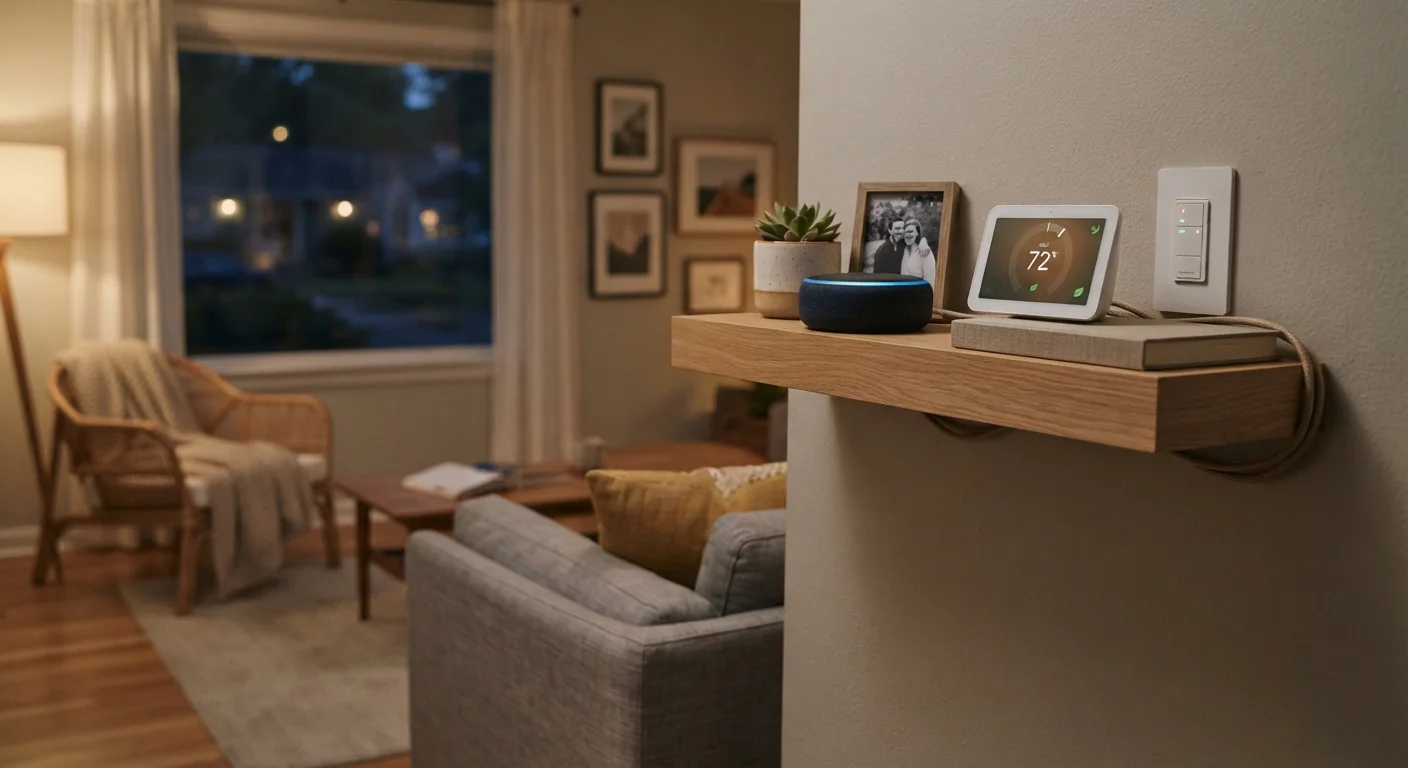
What "Smart Home" Actually Means
A smart home is any residence that uses internet-connected devices to automate, monitor, or remotely control functions that were previously manual — lighting, climate, locks, appliances, and more. The "smart" part comes from the device's ability to receive instructions (from an app, a voice assistant, or a schedule) and report status back to you.
Smart devices range from simple plug-in switches to full security systems. What they share is network connectivity, usually to your home Wi-Fi, and an app or platform used to manage them. If you're also a first-time homeowner, see our guide on managing a home end to end for broader context on home systems.
69%
U.S. households with at least one smart device
According to research published by Statista, smart home device adoption in U.S. households has grown steadily through the early 2020s.
4+
Average connected devices per smart home
Industry analysts note that households with smart devices tend to expand their setups over time, often adding devices across multiple categories.
Matter
Cross-ecosystem compatibility standard
Matter, ratified in 2022 by the Connectivity Standards Alliance, is now supported by Amazon, Apple, Google, and Samsung, among others.
Device Ecosystems and Compatibility
Before purchasing any smart device, you need to understand ecosystems — the platforms that tie devices together. Major ecosystems include Amazon Alexa, Google Home, and Apple HomeKit. Each has its own app, voice assistant, and list of compatible products. A device that works with one ecosystem may not work with another.
Locking into an ecosystem isn't necessarily bad, but mixing ecosystems without a plan creates frustration. Devices from different camps may not trigger each other's automations, may require separate apps, or may stop receiving updates if a platform is discontinued.
Before purchasing, search the device name plus your chosen platform (e.g., "Works with Google Home") to confirm official compatibility — don't rely on retailer labels alone.
Unofficial compatibility claims are common and can mislead buyers; official certification pages from the platform holder are the most reliable source.
When possible, prioritize Matter-certified devices, even if they cost slightly more — they're designed to stay compatible as platforms evolve.
The smart home market has a history of platform discontinuations and ecosystem shifts; hardware that supports open standards offers better longevity.
The newer Matter standard — backed by major tech companies — aims to make devices compatible across ecosystems. Matter-certified devices are increasingly available and are worth prioritizing if long-term flexibility matters to you.
Hubs, Protocols, and How Devices Talk to Each Other
Smart devices communicate using wireless protocols. The most common ones are:
- Wi-Fi — easy to set up, but each device uses a slot on your router. A crowded network causes reliability issues.
- Zigbee and Z-Wave — low-power, mesh-based protocols that don't rely on Wi-Fi. They require a compatible hub but handle large numbers of devices well.
- Bluetooth — short range; typically used for setup or proximity-based triggers.
- Thread / Matter over Thread — a newer mesh protocol designed for reliability and cross-brand compatibility.
A hub is a central device that translates between protocols and your home network. Some routers and smart speakers include hub functionality; others are standalone. If you plan on more than a handful of devices, a dedicated hub often improves stability.
Not All Hubs Are Equal
Some smart speakers double as hubs for specific protocols, but may only support a subset of devices. A dedicated hub — particularly one supporting both Zigbee and Z-Wave — offers more flexibility as your device count grows. Check the hub's supported device list before purchasing.
Privacy and Security Considerations
Smart devices are always-on data collectors by design. Microphones in speakers, cameras in doorbells, and usage sensors in thermostats all generate data that may be stored, analyzed, or shared with third parties under the manufacturer's privacy policy.
Before setup, read the privacy policy or at minimum the app's permissions screen. Disable microphone access when not in use, opt out of data-sharing programs where possible, and use strong, unique passwords for every account. For a thorough walkthrough, see our guide on digital privacy for beginners.
Network security matters too. Place smart devices on a separate guest network if your router supports it — this isolates them from computers holding sensitive personal data. Keep firmware updated; manufacturers regularly patch vulnerabilities.
Default Passwords Are a Security Risk
Many smart devices ship with default login credentials that are widely known and exploited. Change device and account passwords immediately during setup, and enable two-factor authentication wherever the platform supports it. A compromised smart device on your home network can expose other connected devices to risk.
For a deeper look at what data specific device categories collect and how to limit exposure, see smart device privacy considerations.
Setting Up Routines and Automations
Automations are what make a smart home genuinely useful rather than just novelty-driven. A routine is a set of triggered actions — for example, when you say "good morning," the thermostat adjusts, the kitchen lights turn on, and your coffee maker starts. Triggers can be time-based, location-based (geofencing), sensor-triggered, or voice-activated.
Start with a few high-value automations rather than building complex chains immediately. Common starting points include:
- Scheduled lighting that mirrors your natural wake/sleep cycle.
- A thermostat that adjusts when you leave and return home.
- Motion-triggered lights in hallways or entryways.
Once devices are stable, layer in more automations. Complex multi-device routines only work reliably when each individual device is performing consistently on its own first.
Test Automations in Stages
Build one automation at a time and run it for a few days before adding the next. This makes troubleshooting straightforward and prevents cascading failures where one misfiring trigger disrupts an entire routine.
Planning Your Smart Home Setup
The most common mistake is buying several devices at once without a plan. A more effective approach:
- Pick one room or function to start — lighting is often the lowest-friction entry point.
- Choose your ecosystem first, then buy devices confirmed to work within it.
- Audit your router — check how many devices it supports and whether a separate network is possible.
- Budget for ongoing costs — some platforms charge subscription fees for cloud storage, advanced automations, or professional monitoring.
When you receive new devices, follow a consistent unboxing process to protect your settings and privacy from the start. Our new gadget setup checklist walks through firmware updates, account setup, and warranty registration in the first hour.
Subscription Costs Can Add Up
Several smart home platforms offer core features free but lock advanced functionality — cloud video storage, extended history, or complex automations — behind monthly fees. Calculate the ongoing cost of your planned setup before committing to a platform, especially for security cameras or monitoring services.
A well-planned smart home adds genuine convenience and, in some cases, energy savings. The key is going in informed — understanding what devices need, what data they collect, and how they fit together before any money changes hands.
The content on this site is for informational purposes only and is not a substitute for professional advice. Always consult a qualified professional for guidance specific to your situation.