

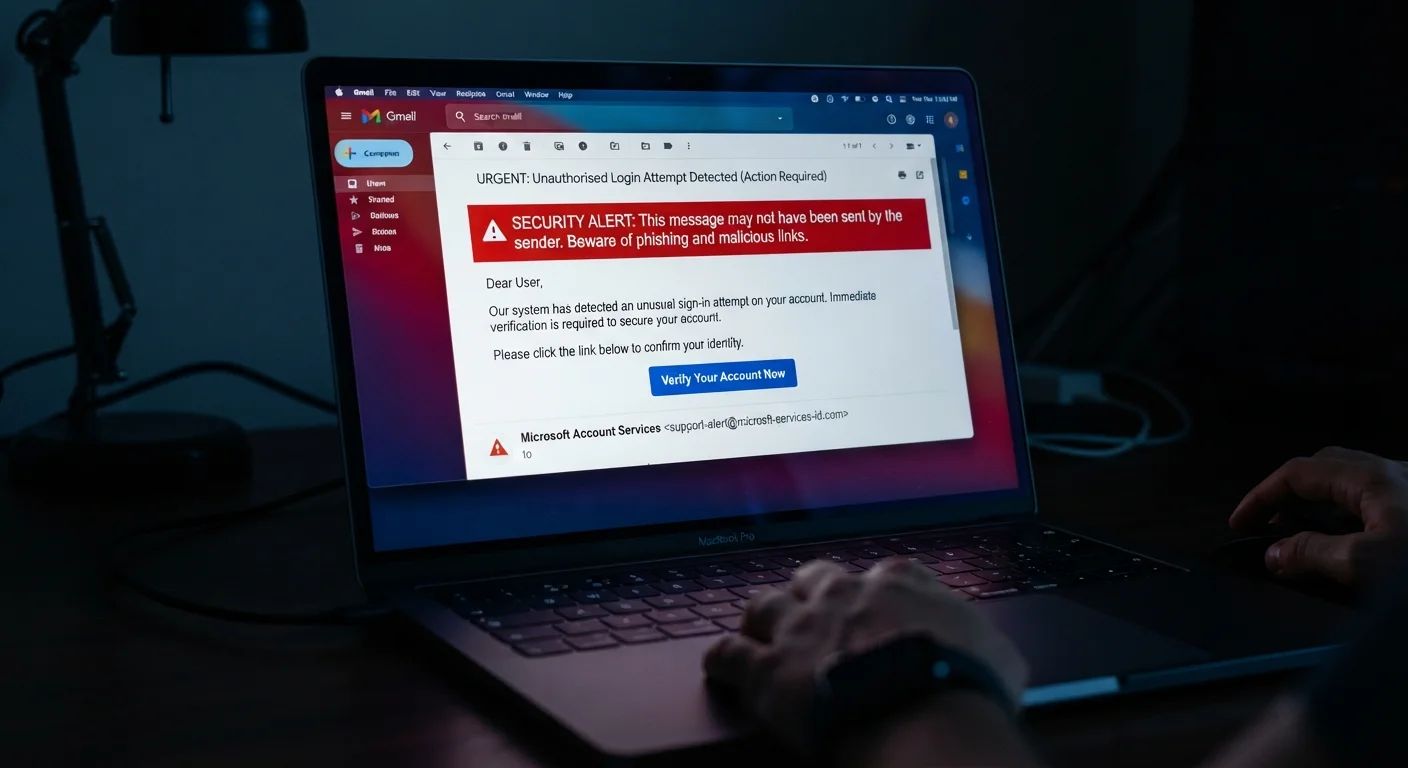
Why Phishing Remains So Effective
Phishing is not primarily a technical attack — it is a psychological one. Attackers engineer messages to trigger familiar, automatic behaviors: trusting authority figures, responding to urgency, and following instructions from institutions we rely on daily. These are normal human instincts, and that is exactly what makes phishing so persistent.
The scale is staggering.
3.4B
Phishing emails sent daily worldwide
According to cybersecurity research cited by AAG IT Services, an estimated 3.4 billion phishing emails are sent every day, making it one of the most prevalent forms of cybercrime.
36%
Of data breaches involve phishing
Verizon's Data Breach Investigations Report has consistently found phishing among the top causes of confirmed data breaches across industries.
~60 seconds
Median time to click a phishing link
Research from Proofpoint indicates that many users click phishing links within a minute of receiving the message, illustrating how urgency tactics work.
If you've ever assumed phishing only catches careless or inexperienced users, research suggests otherwise. Studies examining simulated phishing campaigns find that click rates remain meaningful even among informed, educated groups — particularly when messages are tailored and contextually relevant. Understanding why these attacks work is the essential first step to resisting them.
For a broader look at how false confidence shapes online behavior, see common online privacy myths worth correcting.
The Mistakes That Make People Vulnerable
Phishing succeeds when specific, predictable mistakes line up. The good news: each one is avoidable once you recognize it.
Trusting a message because it looks professional or familiar.
Why it happens: Modern phishing emails closely mimic real brands — logos, color schemes, and even sender addresses can appear nearly identical to legitimate ones.
Acting immediately on urgency cues like 'Your account will be suspended' or 'Verify now.'
Why it happens: Urgency is a core manipulation tactic. It bypasses careful thinking by triggering a stress response that pushes people to act before they reason.
Assuming phishing only comes via email.
Why it happens: Security training has historically focused on email, leaving people less guarded when suspicious contact arrives by text, phone call, or social media message.
Entering credentials after landing on a page that 'looks right.'
Why it happens: Attackers create near-perfect clones of login pages. Without checking the browser's address bar for the exact, legitimate domain, users can be completely fooled.
Believing 'I'm not important enough to be targeted.'
Why it happens: Many people assume phishing is aimed at executives or the wealthy, not ordinary consumers. This false sense of safety lowers vigilance.
Never Click Before You Verify
If a message asks you to log in, confirm payment, or reset a password, go directly to the official website by typing the address yourself — never use the link provided in the message. This single habit stops the majority of phishing attempts cold. Even a message that appears to come from a trusted institution can be fraudulent.
Building consistent verification habits works hand-in-hand with other security fundamentals. Strong digital security habits — including using multi-factor authentication and a password manager — significantly raise the bar for attackers even if a phishing link is accidentally clicked.
If you suspect an account has already been compromised, act quickly. Learn to recognize the signs of a compromised account and what steps to take immediately.
Building Habits That Protect You
Awareness alone is not enough — what matters is translating that awareness into consistent, low-effort habits that become second nature.
Phishing Has Moved Beyond Email
SMS phishing (called "smishing") and voice phishing ("vishing") are now common attack vectors. Treat unsolicited texts from delivery services, banks, or government agencies with the same skepticism you'd apply to suspicious emails. Legitimate organizations rarely initiate contact through text asking you to click a link or call a number embedded in the message.
Slow down before clicking. The deliberate pause is your most powerful tool. Phishing relies on speed; resistance relies on a moment of reflection.
Enable multi-factor authentication (MFA). Even if an attacker captures your password through a phishing page, MFA — a secondary code sent to your phone or generated by an app — can prevent them from accessing your account.
Keep software and apps updated. Patches frequently address vulnerabilities that attackers exploit after a successful credential theft.
Phishing exposure is also part of a wider digital privacy picture. Digital privacy fundamentals offer a strong starting point if you're building your security practices from the ground up. And if you use shared or public networks, review Wi-Fi security practices to reduce additional exposure points.
The content on this site is for informational purposes only and is not a substitute for professional advice. Always consult a qualified professional for guidance specific to your situation.