

Our Verdict
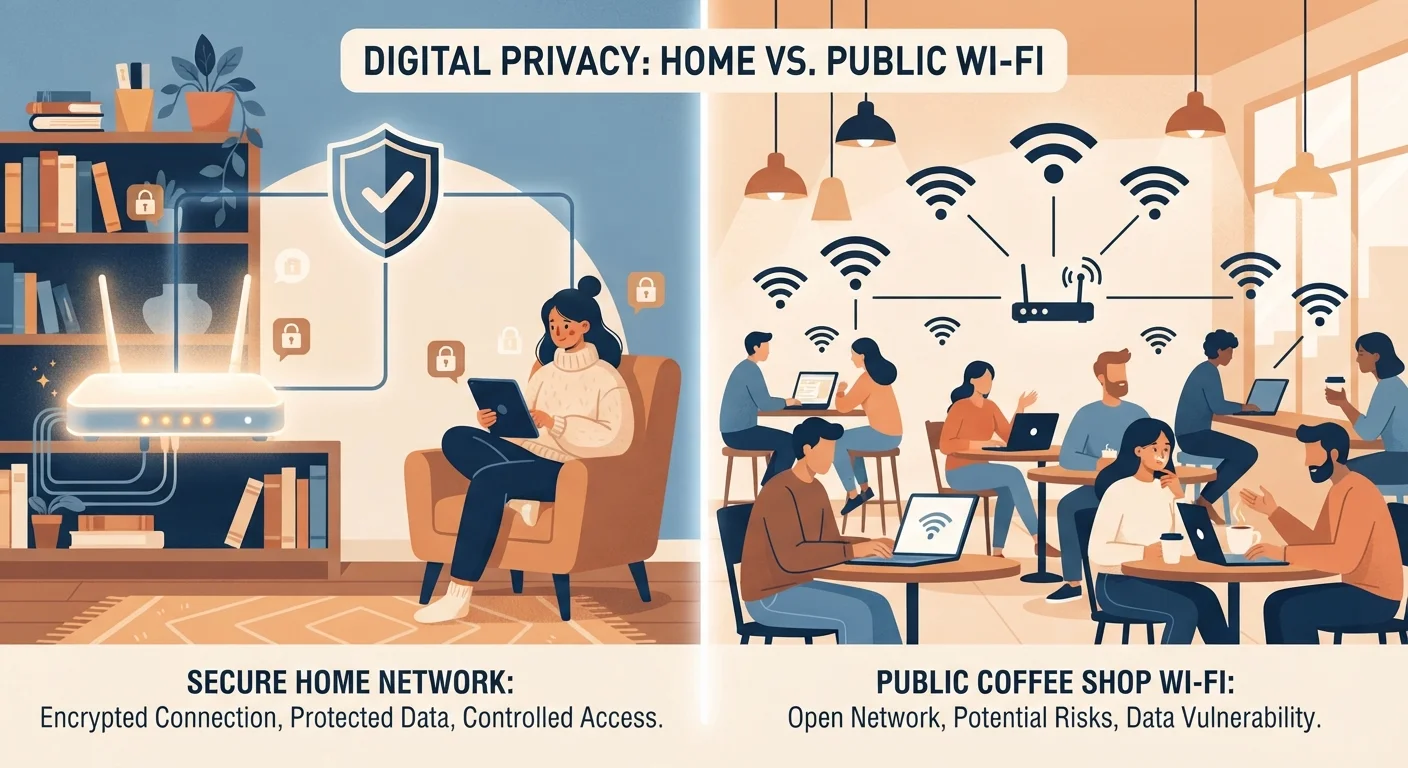
Home Wi-Fi and public Wi-Fi present distinct risk profiles that call for different protective strategies. At home, your greatest leverage is in how your network is configured. In public, your protection depends largely on behavioral choices and layered tools like VPNs. Neither environment is inherently safe by default — but both are manageable with informed habits.
| Best for | Recommended |
|---|---|
| Those who primarily use Wi-Fi at home | Focus on home router hardening |
| Frequent travelers or remote workers using café or hotel Wi-Fi | Prioritize VPN use and behavioral caution on public networks |
| Users who move between both environments regularly | Combine strong home configuration with consistent public Wi-Fi habits |
Why the Environment Changes the Risk
Not all Wi-Fi connections carry the same exposure. The difference between your home network and a public one isn't just about speed or reliability — it's about who else shares the network, who controls the hardware, and what protections are in place by default.
On a home network, you're typically the only administrator. You choose the password, the router settings, and which devices connect. On a public network — at a hotel, airport, library, or coffee shop — you share infrastructure with strangers, and the network operator may have no particular security incentive beyond keeping guests online.
Understanding this distinction is the starting point for making smarter decisions in both environments. For a broader foundation on digital security habits, see practices that actually reduce your risk.
Home Wi-Fi: Configuration Is Everything
Most home network vulnerabilities aren't caused by sophisticated attacks — they result from default settings that were never changed after setup. Routers often ship with generic administrator passwords, older encryption standards, or remote-management features enabled unnecessarily.
The most impactful steps for home network security include:
- Encryption standard: Use WPA3 if your router supports it; WPA2-AES is the acceptable fallback. Older protocols like WEP or WPA (TKIP) are considered insecure.
- Router admin password: Change the default login immediately. A unique, strong password prevents others on your network from accessing router settings.
- Firmware updates: Router manufacturers release updates that patch known security vulnerabilities. Check periodically or enable auto-updates if available.
- Guest network isolation: If you host visitors or run smart home devices, a separate guest network keeps those connections from touching your primary devices.
For a practical walkthrough of these steps, keeping your home Wi-Fi network secure covers the process without requiring technical expertise. If you also use smart home devices, be aware they introduce their own data considerations — smart device privacy at home explains what to watch for.
Check Your Router's Encryption Setting
Log into your router's admin panel (usually accessible via a local IP address like 192.168.1.1) and look for the wireless security section. If you see WEP or WPA-TKIP listed as your current protocol, updating to WPA2-AES or WPA3 is one of the most effective single changes you can make. Your router's manual or the manufacturer's support site will walk you through the exact steps.
Public Wi-Fi: A Shared and Uncontrolled Environment
Public Wi-Fi's core security challenge is that you're joining a network alongside unknown others, managed by an operator you have no visibility into. Several specific risks apply in this context:
- Unencrypted connections: On open (password-free) networks, data transmitted without HTTPS can be intercepted by others on the same network using widely available tools.
- Evil twin networks: A malicious actor can create a network with a name resembling a legitimate one (e.g., "CoffeeShop_Free") to capture traffic from unsuspecting users.
- Session hijacking: On poorly secured networks, attackers may attempt to intercept authentication tokens that allow access to already-logged-in accounts.
Most modern websites and apps use HTTPS encryption, which protects data in transit even on open networks. However, this doesn't protect against all threats — particularly metadata, DNS queries, or network-level surveillance by the operator.
| Home Wi-Fi | Public Wi-Fi | |
|---|---|---|
| Network control | You control hardware and settings | Operated by a third party |
| Who else is connected | Known household members and devices | Unknown strangers |
| Encryption standard | Configurable (WPA2/WPA3) | Varies; often open or WPA2 |
| Primary risk source | Misconfiguration, outdated firmware | Shared network, rogue access points |
| VPN benefit | Less critical if well-configured | Meaningfully reduces exposure |
| Key protective action | Update firmware, use WPA3, strong passwords | Avoid sensitive tasks, use VPN, verify HTTPS |
Using a VPN (Virtual Private Network) on public networks encrypts your traffic before it leaves your device, limiting what a network operator or co-user can observe. It's a meaningful layer of protection, though not without its own limitations — what VPNs actually protect and what they don't examines this in detail.
Behavioral Habits That Apply Across Both Environments
Certain protective habits are valuable regardless of where you connect:
- Avoid sensitive transactions on public Wi-Fi: Banking, tax filing, and medical portals are best accessed on a trusted network. If you must use public Wi-Fi, verify HTTPS and consider a VPN.
- Enable two-factor authentication (2FA): Even if credentials are exposed, 2FA limits unauthorized access to accounts.
- Forget networks you don't trust: Devices automatically reconnect to remembered networks. Removing unfamiliar or one-time networks reduces the risk of auto-joining something malicious later.
- Watch for phishing attempts: Connection-based attacks are sometimes paired with social engineering. Understanding why phishing attacks remain effective helps you recognize the full threat landscape.
Don't Assume HTTPS Makes Public Wi-Fi Safe
While HTTPS encrypts the content of your web traffic, it doesn't hide which sites you're visiting, protect against a rogue network operator monitoring DNS requests, or guard against all forms of network-level observation. Treating HTTPS as a complete solution on public Wi-Fi overstates its protection. Layering it with a reputable VPN and cautious behavior addresses a wider range of risks.
Staying connected across home internet and Wi-Fi topics requires both technical setup and consistent behavioral practices — neither alone is sufficient.
The content on this site is for informational purposes only and is not a substitute for professional advice. Always consult a qualified professional for guidance specific to your situation.