

What the Four Numbers on a Speed Test Actually Mean
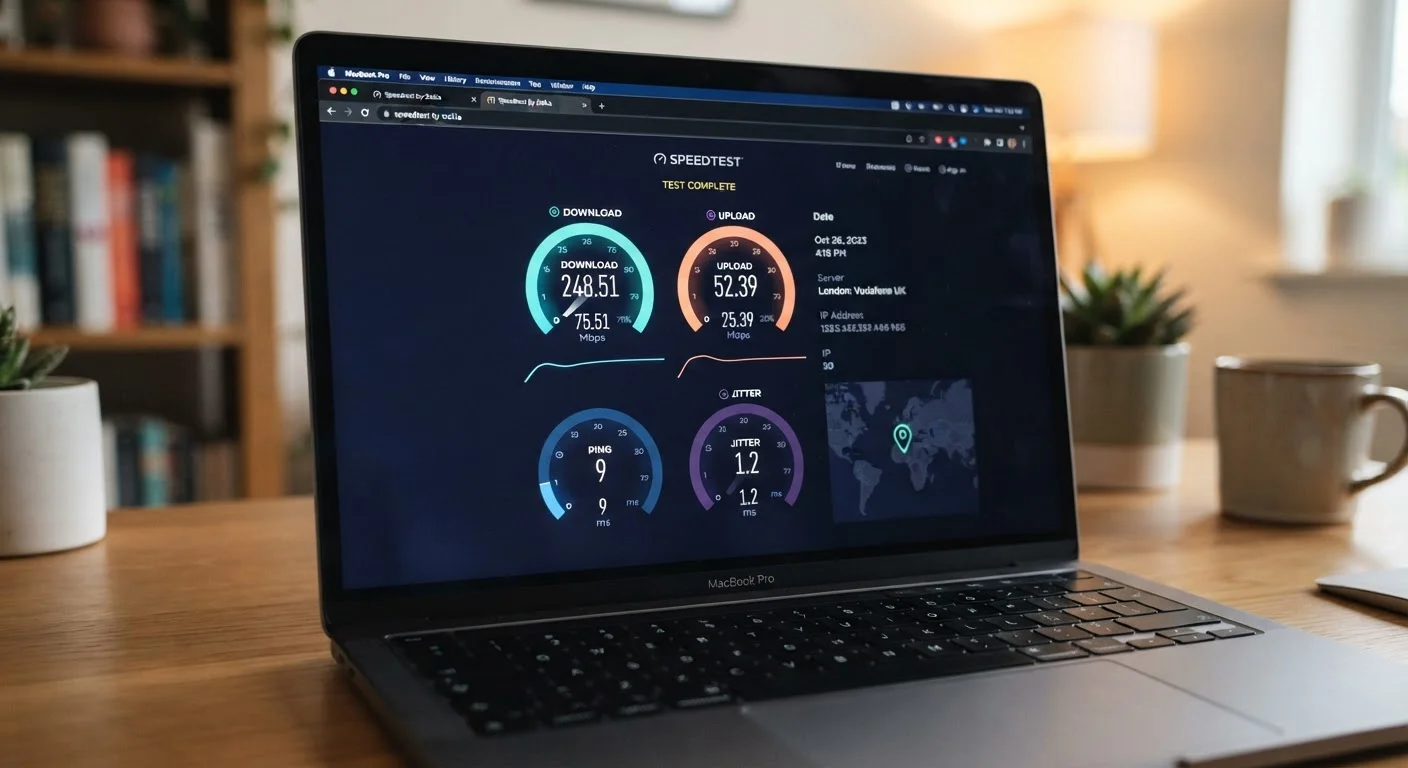
When you run a speed test, you'll typically see four results: download speed, upload speed, ping, and jitter. Each measures a different quality of your connection. Understanding all four — not just the big download number — gives you a complete picture of what's working and what isn't.
Download speed (measured in Mbps, or megabits per second) tells you how quickly data flows from the internet to your device. This affects streaming video, loading web pages, and downloading files. For reference, common general guidance suggests 25 Mbps per person is a reasonable baseline for HD streaming, though households with multiple simultaneous users benefit from considerably more.
Upload speed is the reverse — how fast data leaves your device and travels outward. It's critical for video calls, live streaming, cloud backups, and sharing large files. Many home internet plans are asymmetric, meaning upload speeds are significantly slower than download speeds. If your video calls look fine on your end but others see you as pixelated, low upload speed is often the culprit. See our plain-English glossary of internet terms for a fuller breakdown of these measurements.
Ping (also called latency) measures the round-trip time in milliseconds (ms) for a small packet of data to travel from your device to a server and back. A ping under 20 ms is excellent; under 50 ms is good for most tasks; over 100 ms starts to cause noticeable delay. Gaming, video calls, and real-time applications are especially sensitive to high ping. For a deeper look at why latency often matters more than raw speed, see Speed vs. Latency.
Jitter measures the variation in ping over time. If your ping bounces between 10 ms and 90 ms from moment to moment, your jitter is high — and that inconsistency causes choppy voice calls, stuttering video, and erratic online gaming even if your average ping looks acceptable. A jitter value under 10 ms is generally considered stable.
Check Your Connection Type First
Your internet connection type significantly shapes what results to expect. Fiber connections typically deliver symmetric speeds (equal download and upload), while cable and DSL plans often show much slower upload speeds by design. If you're unsure what type of connection you have, our Home Internet 101 guide explains the differences in plain English.
Red Flags: When Your Results Should Concern You
Not every disappointing number is worth worrying about, but some patterns signal real problems worth investigating.
One Test Is Not Enough
A single speed test reading can be misleading — network conditions fluctuate constantly. Before drawing conclusions or contacting your provider, run several tests at different times and on different days. A consistent pattern of underperformance across multiple tests is far more meaningful than any single result.
- Download speed below 50% of your plan's advertised speed: Providers typically advertise peak speeds rather than guaranteed speeds — but consistently receiving less than half what you pay for warrants a closer look. Review what advertised speeds actually mean before calling your provider.
- Upload speed near zero or dramatically lower than expected: Occasional dips are normal, but consistently near-zero upload speeds can indicate a modem or router issue, or a network congestion problem on your ISP's end.
- Ping consistently above 100 ms: High latency isn't just a gaming problem — video calls and even basic web browsing feel sluggish. If you're on a wired connection and still seeing high ping, your ISP or equipment may be the issue.
- Jitter above 30 ms: High jitter on a presumably stable connection often points to a faulty cable, a failing modem, or interference on your line.
Results vary by time of day — many networks slow down during peak evening hours. If your concerns are limited to specific times, that's a different problem than consistently poor performance. If you've confirmed a problem, the room-by-room network diagnostic checklist can help you isolate the cause before calling your provider.
The content on this site is for informational purposes only and is not a substitute for professional advice. Always consult a qualified professional for guidance specific to your situation.