

Our Verdict
No single approach suits every household. Streaming sticks make sense for casual viewers who value simplicity and portability. Streaming boxes reward power users who want longevity and interface speed. Smart TV software is convenient for first-time setups, but dedicated hardware often outpaces it within a few years. Understanding these distinctions helps consumers align their choice with how they actually watch.
| Best for | Recommended |
|---|---|
| Portability and low upfront cost | Streaming Stick |
| Performance, storage, and long-term software support | Streaming Box |
| All-in-one simplicity with no extra hardware | Smart TV Built-in Software |
| Upgrading an older TV without replacing it | Streaming Stick or Box |
What Each Approach Actually Is
Before comparing trade-offs, it helps to be clear about what each category means in practice.
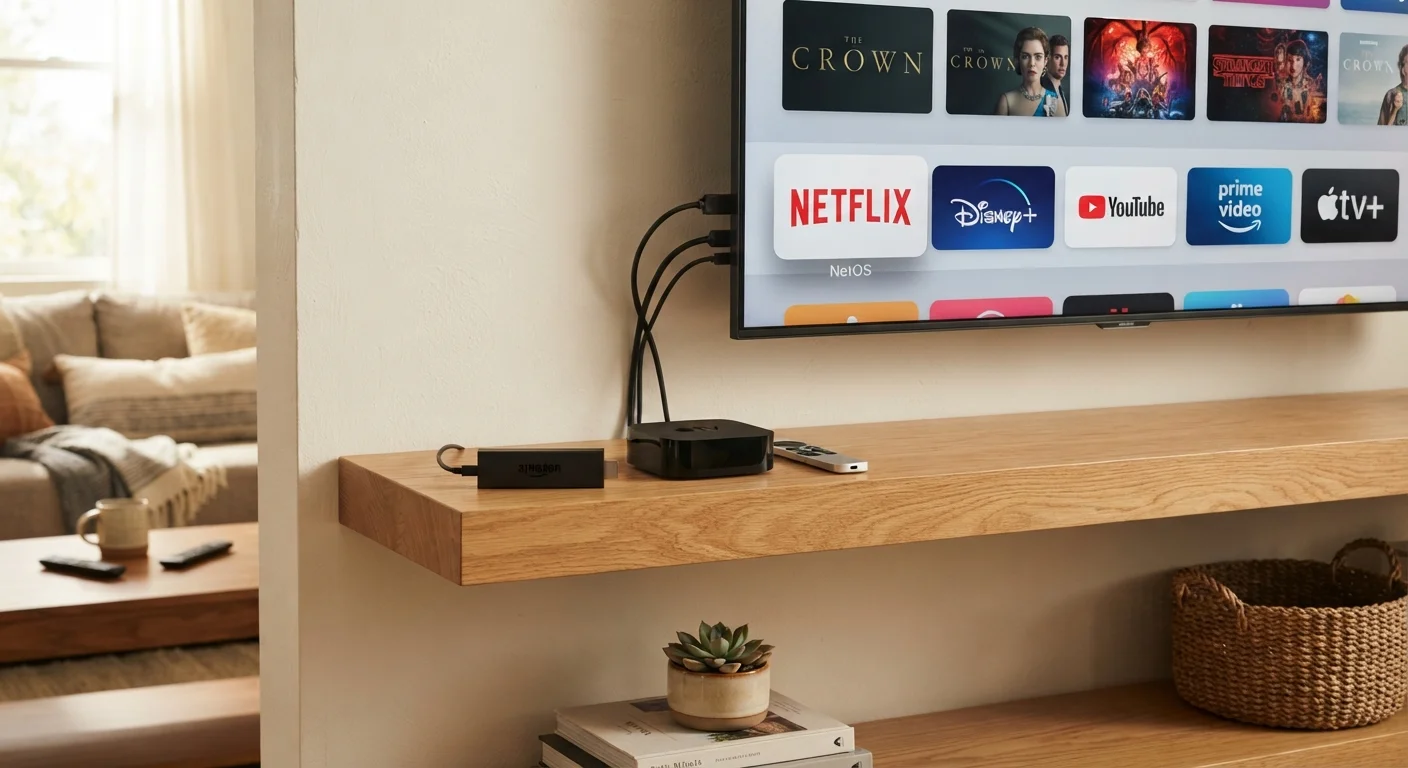
Streaming sticks are small dongles — typically HDMI-sized — that plug directly into a television's HDMI port and draw power from a USB port or wall adapter. They run a dedicated operating system and connect to your home Wi-Fi to deliver streaming apps.
Streaming boxes are standalone devices that sit near the TV, connect via HDMI, and run a full streaming platform on more capable hardware. They typically include a physical remote, more internal storage, and often support wired Ethernet connections in addition to Wi-Fi.
Smart TV software refers to the operating system built directly into a television at the factory. No external device is needed — the TV itself runs apps and connects to the internet. This can range from robust, well-maintained platforms to lightly supported proprietary systems depending on the manufacturer.
For a broader view of how these devices fit into a connected home, see our smart home setup guide.
Performance and Interface Speed
Processing power is where the three approaches diverge most noticeably in everyday use.
Streaming sticks use compact, low-power processors to keep their form factor small. This works well for straightforward playback, but navigating menus, loading apps, or handling 4K HDR content can feel sluggish on older or lower-tier sticks — especially as software grows heavier over time. Heat management is also a concern: sticks tucked behind a TV panel with limited airflow can throttle performance.
Streaming boxes generally include faster processors, more RAM, and larger storage capacity. The result is snappier interface navigation, faster app launches, and more headroom to handle demanding codecs and higher resolutions. Some boxes also support wired Ethernet, which can improve streaming stability — particularly relevant if your household shares bandwidth across many devices simultaneously. Understanding how bandwidth gets divided can help you assess whether wired connectivity matters for your setup.
Smart TV software performance varies widely. A premium television released recently may have capable built-in hardware that rivals a mid-range streaming box. However, TVs designed primarily around display quality may ship with processors optimized for picture processing rather than app performance, leading to noticeable lag in menus and slower cold-boot times.
| Streaming Stick | Streaming Box | Smart TV Software | |
|---|---|---|---|
| Hardware size | HDMI dongle, very compact | Standalone unit, palm-sized | Built into the TV, no extra hardware |
| Processing performance | Entry to mid-range | Mid to high-range | Varies by TV model and tier |
| Wired Ethernet option | Rarely available | Often included | Depends on TV model |
| Portability | Very portable, travel-friendly | Less portable, desk-bound | Not portable — fixed to the TV |
| Software update cycle | Generally regular and long | Generally regular and long | Varies widely by manufacturer |
| Upgradeability | Replace device independently | Replace device independently | Requires new TV or added device |
| Setup complexity | Plug-in, low effort | Cable + power, low effort | None — built in at purchase |
Software Updates and Long-Term Support
Longevity is often the most overlooked factor when choosing a streaming approach.
Dedicated streaming device makers — the companies that produce sticks and boxes — have a direct business incentive to keep their platforms updated. Their revenue depends on active users engaging with their ecosystem, so software support cycles tend to be longer and more consistent than what TV manufacturers typically offer.
Smart TV software presents a more complicated picture. Television manufacturers are hardware companies first; their update commitments for built-in software vary considerably. A TV purchased today may receive platform updates for only a few years, after which apps stop functioning or the interface no longer supports newer streaming protocols. This doesn't mean the TV stops working — the display itself can remain excellent — but the built-in streaming experience may degrade while the panel stays functional for a decade or more.
Separate Your Display Purchase from Your Platform Choice
Evaluating a television's panel quality — brightness, contrast, color accuracy — separately from its built-in software gives you more flexibility. A dedicated streaming device can always be added later, and it can be replaced independently when software support ends without requiring a new TV. This approach also makes it easier to switch platforms if your preferred streaming services change over time.
A practical approach many households use: purchase a television based on display quality, then add a dedicated streaming device independently. This separates the update cycles and lets each piece of hardware be evaluated on its own merits.
Privacy and Data Collection
All three approaches collect viewing data to some degree — this is worth understanding before setup, not after.
Smart TVs with built-in software are particularly well-positioned to gather granular viewing data because they sit between the display and the content. Automatic Content Recognition (ACR) technology, which identifies what's on screen, is a feature on many smart TV platforms. It is typically opt-in during setup but can be easy to accept without realizing it.
Dedicated streaming devices operate their own data collection practices under their own privacy policies. Switching from a smart TV's built-in software to an external stick or box doesn't eliminate data collection — it shifts which company's policy applies.
For a thorough breakdown of what connected devices collect and how to review those settings, our smart device privacy guide covers the specifics most consumers overlook.
~80%
US households with at least one streaming subscription
According to Leichtman Research Group data, the vast majority of American households subscribe to at least one video streaming service.
3–5 years
Typical smart TV software support window
Industry observers generally estimate that most TV manufacturers provide meaningful software updates for three to five years after a model's release, though commitments vary.
Which Setup Fits Which Household
The right choice depends on how a household actually uses its television and what it already owns.
- Casual viewers who primarily watch a small number of streaming services on a single TV will likely find a streaming stick more than adequate — provided the TV's HDMI ports are accessible and the home network is reasonably fast.
- Enthusiast viewers who care about 4K, Dolby Atmos audio, fast app switching, or running a broad range of apps will generally benefit from the additional headroom a streaming box provides.
- Households with a newer premium television may find the built-in software already performs competitively — though checking the manufacturer's stated update commitment is worthwhile before relying on it long-term.
- Anyone with an older non-smart TV can extend its useful life significantly by adding a streaming stick or box rather than replacing the entire unit.
These decisions also connect to broader home setup questions. Smart speakers and streaming devices often share voice assistant ecosystems, so considering both together can simplify how your living room works as a whole.
The content on this site is for informational purposes only and is not a substitute for professional advice. Always consult a qualified professional for guidance specific to your situation.