

Our Verdict
Wi-Fi extenders are a low-cost starting point for small spaces or single dead zones, but they involve real trade-offs in speed and seamless roaming. Mesh systems deliver more reliable whole-home coverage and are better suited to larger homes, multi-story layouts, or households with many connected devices — at a higher upfront cost.
| Best for | Recommended |
|---|---|
| Small apartments or homes with one isolated weak spot | Wi-Fi Extender |
| Larger homes, multi-story layouts, or dense device environments | Mesh Network |
| Budget-conscious users needing a quick, simple fix | Wi-Fi Extender |
| Users who move around the home and need uninterrupted connectivity | Mesh Network |
Why Dead Zones Happen in the First Place
Before comparing solutions, it helps to understand what creates a dead zone. Your router broadcasts a wireless signal in all directions, but that signal degrades as it travels through walls, floors, and household objects. Dense materials — concrete, brick, or even stacked appliances — can dramatically reduce signal strength over short distances.
Your home's structure quietly shapes wireless signal quality, and layout plays just as large a role as distance. A router tucked in a corner of a two-story home may leave entire floors with barely usable connectivity. Both extenders and mesh systems attempt to fix this — but through fundamentally different approaches. It's also worth noting that router placement mistakes can worsen coverage before any extender or mesh system is even considered.
How Wi-Fi Extenders Work
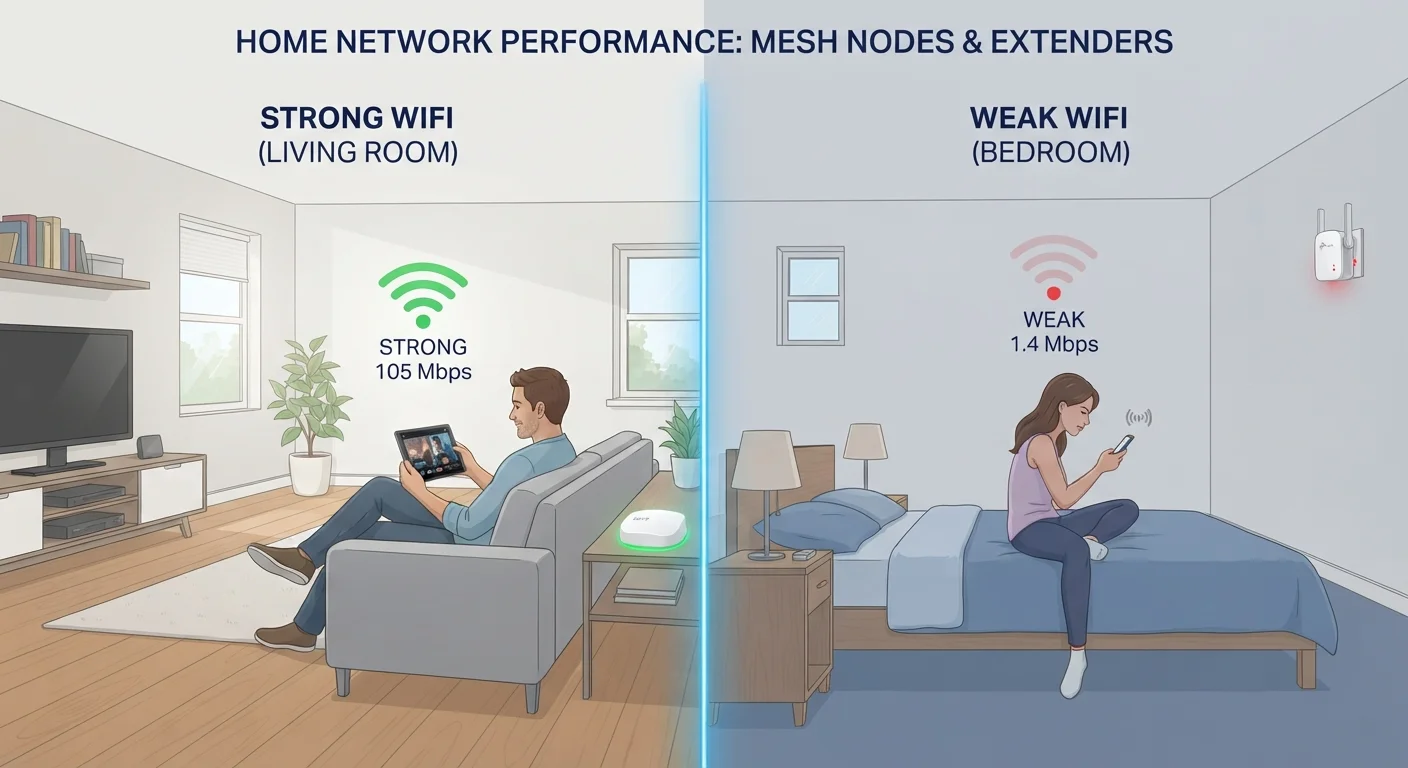
A Wi-Fi extender (sometimes called a repeater or booster) picks up your existing router's signal and rebroadcasts it. You place it roughly halfway between your router and the dead zone, and it creates a second network that nearby devices can connect to.
The core limitation is inherent to this approach: the extender must receive and transmit simultaneously on the same radio channel. In most single-band extenders, this effectively halves the available bandwidth — meaning devices connected to the extender get, at best, a fraction of the speed devices connected directly to the router enjoy. Dual-band extenders reduce this penalty by using one band to communicate with the router and another for client devices, but they still introduce latency.
Extenders Can Create Network Confusion
When an extender broadcasts a different network name than your main router, devices won't switch automatically as you move through your home. You may find yourself manually selecting networks — and unknowingly staying connected to a weaker signal. Check whether any extender you consider supports the same SSID as your router to reduce this friction.
Another friction point is network identity. Many extenders broadcast a separate network name (SSID). As you move through your home, your phone or laptop may cling to the weaker network rather than switching automatically, causing slowdowns or dropped connections.
How Mesh Networks Work
A mesh system replaces your router with a set of coordinated nodes — typically two to four units — that communicate with each other to form a single unified network. From your device's perspective, there is only one network name and one password regardless of which node you're closest to.
The key difference is that mesh nodes are designed to work together. Many modern systems dedicate a separate wireless band (or a wired backhaul connection between nodes) solely to node-to-node communication, leaving full bandwidth available for your devices. This architecture allows your phone or laptop to hand off seamlessly from one node to another as you move through the home — similar to how cellular networks hand off between towers.
| Wi-Fi Extender | Mesh Network | |
|---|---|---|
| How it works | Rebroadcasts existing router signal | Coordinated nodes share one unified network |
| Bandwidth impact | Can reduce speed by up to 50% on same band | Minimal; dedicated backhaul preserves speed |
| Seamless roaming | Often requires manual reconnection | Automatic handoff between nodes |
| Setup complexity | Simple, usually plug-and-play | Moderate; guided via app |
| Typical cost | $30–$80 | $150–$500+ |
| Best suited for | Small spaces, single dead zone | Large or multi-story homes |
| Management features | Limited, separate interfaces | Centralized app, richer controls |
For a deeper look at when this approach is genuinely necessary versus overkill, see when mesh Wi-Fi helps and when it isn't needed.
Setup, Management, and Cost Differences
Extenders are generally plug-and-play: plug in, press a WPS button or open a simple app, and you're done in minutes. Cost is typically low — many units fall in the $30–$80 range. For renters or users who need a quick fix for one room, that simplicity has genuine value.
Mesh systems require more initial setup — you're configuring multiple nodes — though most modern systems guide you through the process with a smartphone app. The upfront cost is considerably higher, often ranging from $150 to $500 or more depending on the number of nodes and technical capabilities.
Consider Your Home's Layout Before Buying
Before purchasing either solution, walk your home with your phone and note exactly where signal drops. A single dead zone near an exterior wall may only need a well-placed extender. Multiple weak areas across floors or rooms are a stronger case for mesh. Mapping the problem first saves you from buying more than you need — or less.
Ongoing management also differs. Mesh systems typically offer centralized app controls, automatic firmware updates, and device-level network visibility. Extenders offer fewer management features, and troubleshooting often involves logging into separate admin interfaces.
Which Approach Fits Your Situation
The right choice depends on the size and layout of your space, your budget, and how many devices you're managing. A single-story apartment with one weak corner is a reasonable candidate for an extender. A two-story house with a home office, a basement, and a dozen connected devices will likely perform better under a mesh system.
Keep in mind that neither solution compensates for a slow internet plan. If your broadband connection itself is the bottleneck, improving in-home coverage won't help with streaming or download speeds. And for stationary, high-demand tasks like video editing or gaming, a wired connection remains the most reliable option — as explored in when a cable still makes sense in a wireless world.
Finally, whichever system you choose, network security considerations remain the same. Home Wi-Fi carries its own security risks that are worth understanding independently of coverage improvements.
The content on this site is for informational purposes only and is not a substitute for professional advice. Always consult a qualified professional for guidance specific to your situation.